Launch offer — 99p normally £9.99 · until 31 August Get the app →
Home education, your way

You teach.
We do the rest.

The planning, the paperwork, the what-happens-Monday. Lessons built around your child and your curriculum, days out written up as real lessons, the record kept — quietly.

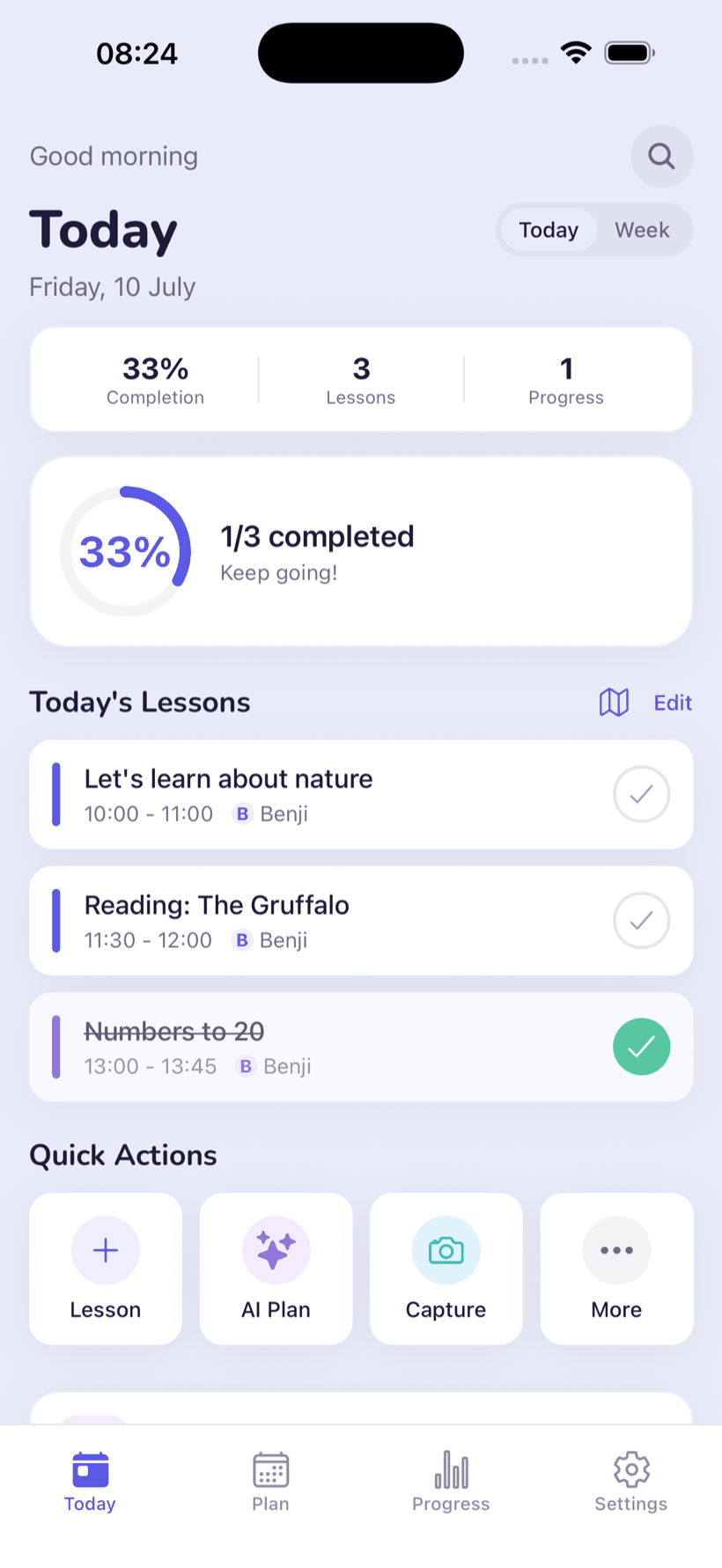
The Today screen — the day's lessons at a glance
✦ Our favourite feature

Turn any day out into a lesson.

No planning up front. A museum, a forest, an afternoon baking — a quick voice note and your photos in, a finished, curriculum-linked lesson out. Pick a day and watch:

🎙️ Your voice note
“We spent the morning at the Natural History Museum — the dinosaur hall, then the giant whale.”
plus 4 photos
✦ Written up
✓ Curriculum-linked
🦕

A morning among the dinosaurs

Science · History
Objectives met
Identify prehistoric animals and when they lived
Sequence events on a simple timeline
Use new words: fossil, extinct, skeleton
Timeline colouring sheet Dinosaur flashcards “What is a fossil?” mini-reader

Places come from your photos, read on your device — never any background tracking.

There's no one right way

Homeschool, built around your child.

Set your child's age, your curriculum and your teaching style — structured, child-led or somewhere between. The plan takes shape around you.

1 · Your child's age
6years old · KS1
316
2 · Your curriculum
3 · Your teaching style
✦ Your plan, forming
🇬🇧

A balanced KS1 week

UK National Curriculum · Key Stage 1

A steady 3 lessons a week, with room to wander.

Phonics · Maths · The world around us

This week
MonBlending CVC words aloud
WedAdding within 20
FriHabitats: who lives in a pond?
Schedule to calendar →
💬 Ask Hubble

Stuck mid-lesson? Just ask.

Your built-in teaching assistant gives friendly, age-aware ideas — any time, right when you need them. You don't need to be a teacher to teach your own children.

How do I explain fractions to a 6-year-old?
Start with a pizza 🍕 — cut it in half, then quarters. Let them do the cutting and count the slices. Want a quick worksheet to match?
Why we built it

Made at our own kitchen table.

We're a homeschooling family, teaching our own son. The teaching was the joy — everything around it was the job: a planner in one tab, a curriculum PDF in another, a camera roll of learning moments we'd never sort, and a Sunday-night ritual of working out what on earth happens on Monday.

So we built the thing we wanted — one app that does the tedious parts, follows the curriculum you chose, and bends to the way you teach. It's the tool our family actually uses.

“The teaching is the joy. We built the app for everything else.”— why we made Homeschool Hub AI
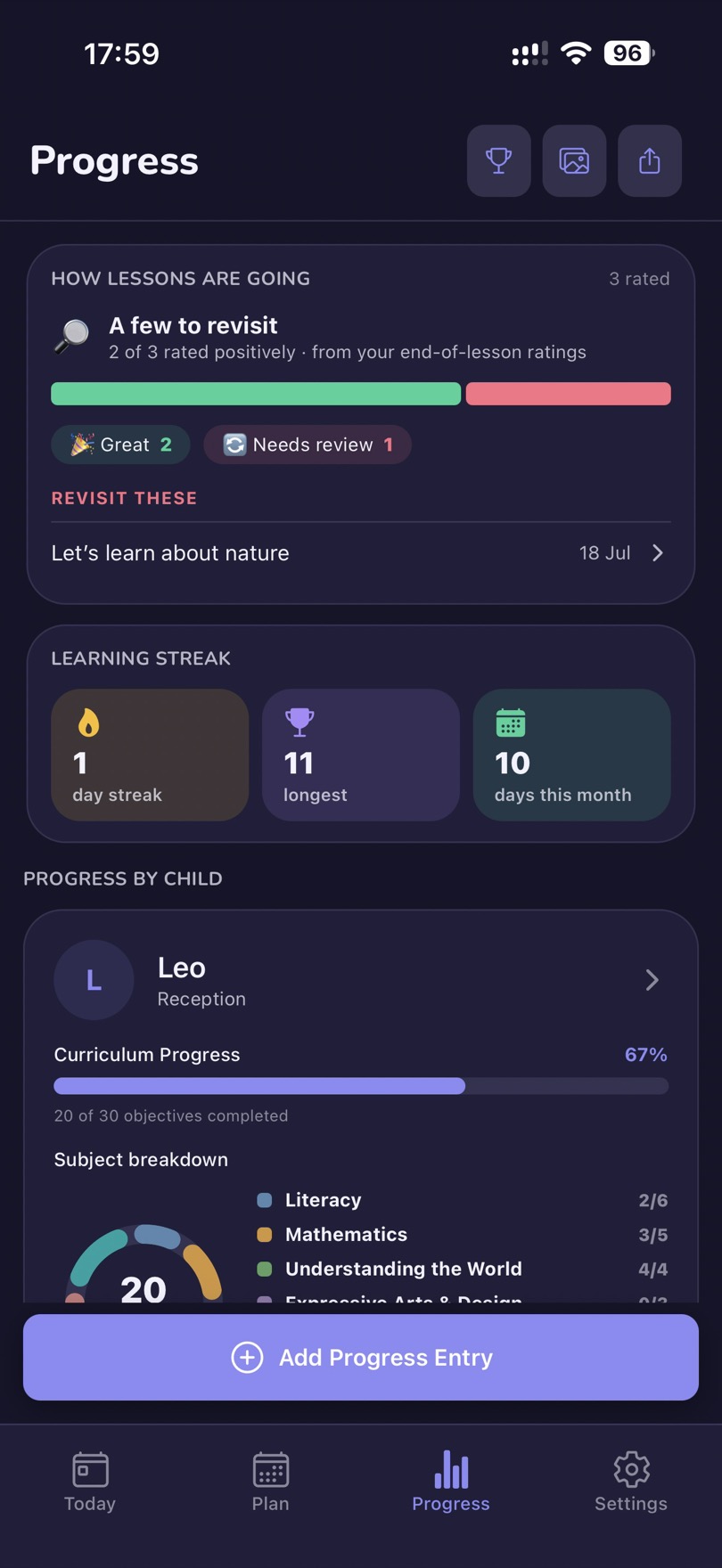
Progress — how lessons are going and the learning streak
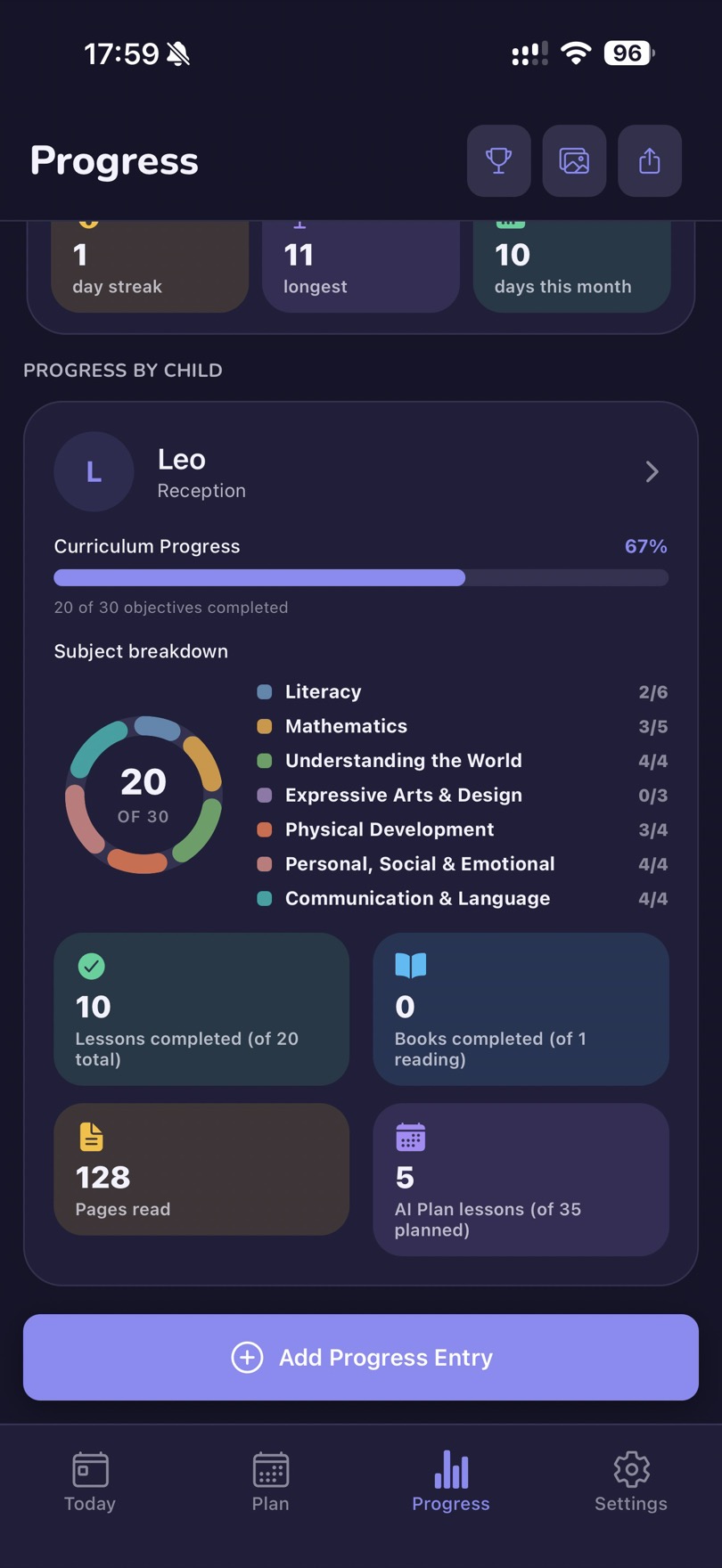
A child's progress — curriculum coverage with a subject-by-subject breakdown
Your family, your framework

Seven national curricula. One that fits.

Each written in its own language, shown in English or Italian — plus a fully custom one, and a worldschool tracker that keeps a passport of everywhere you've learned.

🇬🇧 United Kingdom 🇺🇸 United States 🇮🇹 Italy 🇫🇷 France 🇪🇸 Spain 🇨🇦 Canada 🇦🇺 Australia ✦ Custom
Pricing

£0.99 until 31 August.

Launch offer — the full app for 99p, normally £9.99. Buy it once. Add the AI when you want it — first month free.

App purchase

£0.99 one-off · was £9.99

  • The full app — plan, schedule, track
  • 7 curricula, reading log, budget
  • Works offline, no account needed
Get the app
First month free

Premium — optional add-on

£9.99 /mo · or £99.99/yr

  • AI lesson plans & the Hubble assistant
  • AI worksheets, flashcards & materials
  • Worldschool tracker, places & day map
  • Cloud sync, backup & co-parenting
Get the app, then subscribe →

Prices are a guide — the App Store sets the final price in your local currency. Fair-use limits apply to AI features; see the Terms. Android coming soon.

Questions

The things families ask.

Do I have to follow a strict curriculum?

No. Follow one of seven national curricula, build a fully custom one, or teach however suits your family — structured, child-led, or somewhere in between. There's no one right way to homeschool. The app tracks whatever you choose, so you always have the record, without changing how you teach.

Do I need to be a qualified teacher?

Not at all. The whole point is to take the hard part off your plate: the AI writes the lesson plans, Ask Hubble helps you explain anything mid-lesson, and progress is tracked against your curriculum automatically. You bring the time with your children; the app does the admin.

Do I need an account to use it?

No. The core app — planning, scheduling, curriculum and progress — works fully offline with no account. An account unlocks Premium (the AI features, cloud sync and co-parenting).

Can I turn a real day out into a lesson?

Yes — it's one of our favourite features. Record a day out with a short voice note and your photos, and the app writes it up as a completed, curriculum-linked lesson with the learning evidenced — the kind of record a local authority asks for. Your photos are read on your device to suggest where you were; the app never tracks you in the background. (A Premium feature.)

How is this different from a worksheet library?

A library gives you a fixed set of materials to search. We generate materials for your specific child — their age, curriculum and language — so you get exactly the worksheet you need, whenever you need it — within fair-use limits — for £9.99 a month.

Is the AI safe for my child?

Yes. AI content is produced behind child-safety guardrails, and we never send your child's name, date of birth or exact age to the AI — only a coarse age band and a scrubbed topic. See our Privacy Policy.

Which curricula and languages are supported?

The app is used in English or Italian. There are seven national curricula — UK, US, Italy, France, Spain, Canada and Australia — each written in its own language, and any of them can be shown in English or Italian. Premium can also generate a fully Custom curriculum. (More app languages are on the way.)

How do I cancel?

Cancel any time in your App Store settings. Premium stays active until the end of the billing period.